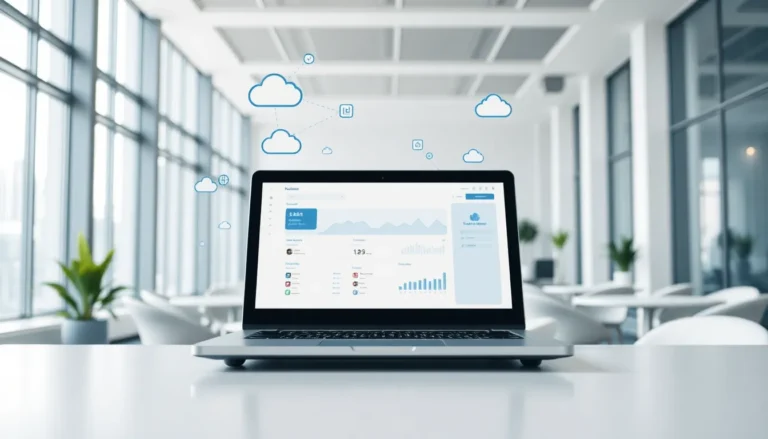


SaaS for beginners can feel overwhelming at first. The term “Software as a Service” appears everywhere, from business meetings to tech blogs, but what does it actually mean? SaaS has transformed how people and companies use software. Instead of buying programs and installing them on computers, users access applications through the internet and pay a subscription fee. This model powers everything from email platforms to accounting tools. Whether someone runs a small business or works in a large corporation, SaaS products likely play a role in their daily workflow. This guide breaks down the essentials of SaaS, explains its benefits, and helps readers choose the right solutions for their needs.
Table of Contents
ToggleKey Takeaways
- SaaS for beginners means accessing software through the internet via subscription instead of purchasing and installing programs locally.
- SaaS eliminates technical barriers by letting providers handle updates, security, and server maintenance automatically.
- Lower upfront costs make SaaS accessible—small businesses can access professional tools for as little as $10 to $50 per month.
- Popular SaaS applications include Slack, Google Workspace, Salesforce, and QuickBooks Online, covering communication, productivity, CRM, and accounting needs.
- When choosing a SaaS product, define your problem first, set a budget, check integrations, and always test free trials before committing.
- SaaS scales with your needs, allowing you to adjust subscription plans as your team or business grows.
What Is SaaS and How Does It Work?
SaaS stands for Software as a Service. It’s a software delivery model where applications run on remote servers and users access them through a web browser. The provider hosts the software, manages updates, and handles security. Users don’t need to install anything on their computers.
Here’s how SaaS works in practice: A company signs up for a SaaS product, creates user accounts, and starts using the software immediately. All data lives in the cloud. Employees can log in from any device with internet access. The provider pushes updates automatically, so users always have the latest version.
SaaS differs from traditional software in several ways. Traditional software requires a one-time purchase, local installation, and manual updates. SaaS uses a subscription model, monthly or annual fees, and the provider handles everything on their end.
Three main components make SaaS work:
- Cloud infrastructure: Servers store and process data remotely
- Multi-tenant architecture: Multiple customers share the same software instance while keeping their data separate
- Subscription billing: Users pay recurring fees instead of large upfront costs
This setup makes SaaS accessible for beginners because it removes technical barriers. No one needs to worry about server maintenance, software compatibility, or backup systems. The provider manages all of that.
Key Benefits of Using SaaS Solutions
SaaS offers clear advantages over traditional software. These benefits explain why SaaS has become the default choice for most businesses.
Lower Upfront Costs
Traditional software often requires thousands of dollars upfront. SaaS spreads costs across monthly payments. A small business can start using professional-grade tools for $10 to $50 per month. This pricing structure makes powerful software accessible to startups and individuals.
Automatic Updates and Maintenance
SaaS providers handle all updates. Users wake up to new features without lifting a finger. Security patches roll out automatically. This saves time and eliminates the headaches of managing software versions.
Scalability
SaaS products grow with users. Need five seats this month and fifty next month? Most SaaS platforms adjust instantly. Businesses don’t need to buy new licenses or upgrade servers. They simply change their subscription plan.
Accessibility
SaaS works anywhere with internet access. Team members can collaborate from home, the office, or a coffee shop. This flexibility has become essential for remote and hybrid work environments.
Reduced IT Burden
Companies don’t need large IT teams to manage SaaS tools. The provider handles infrastructure, security, and technical support. Small businesses can use enterprise-level software without hiring specialized staff.
For beginners exploring SaaS, these benefits translate to faster setup, lower risk, and less technical stress.
Common Examples of SaaS Applications
SaaS products exist in nearly every category. Here are examples that illustrate how widespread SaaS has become.
Communication and Collaboration
- Slack: Team messaging and channels
- Zoom: Video conferencing
- Microsoft Teams: Chat, calls, and document sharing
Productivity and Office Tools
- Google Workspace: Docs, Sheets, Gmail, and Drive
- Microsoft 365: Word, Excel, and Outlook in the cloud
- Notion: Notes, wikis, and project management
Customer Relationship Management (CRM)
- Salesforce: Sales tracking and customer data
- HubSpot: Marketing, sales, and service tools
- Zoho CRM: Contact and pipeline management
Accounting and Finance
- QuickBooks Online: Bookkeeping and invoicing
- Xero: Financial reporting and payroll
- FreshBooks: Time tracking and expenses
Project Management
- Asana: Task assignments and timelines
- Trello: Kanban boards for visual workflows
- Monday.com: Team coordination and reporting
These SaaS applications share common traits. They run in browsers, store data in the cloud, and charge subscription fees. Most offer free trials or free tiers, making it easy for beginners to test them before committing money.
How to Choose the Right SaaS Product for Your Needs
Picking the right SaaS product requires clear thinking. Here’s a practical framework for beginners.
Define Your Problem First
Start with the problem, not the tool. What specific task needs improvement? Write down the exact pain points. “I need better project tracking” is clearer than “I need project management software.” Specific problems lead to better solutions.
Set a Budget
SaaS subscriptions add up quickly. Five tools at $30 per month equal $1,800 per year. Calculate what you can spend before browsing options. Look at annual pricing, most SaaS products offer discounts for yearly commitments.
Check Integration Options
SaaS tools work best when they connect. Does the email platform sync with the CRM? Can the project manager pull data from the calendar? Integrations save time and reduce manual data entry. Most SaaS products list their integrations on their websites.
Read Reviews and Test Free Trials
User reviews reveal real experiences. Check sites like G2, Capterra, or Trustpilot. Look for patterns in complaints, if multiple users mention poor customer support, take note. Then use free trials. Spend at least a week with any SaaS product before paying.
Evaluate Customer Support
Beginners often need help. Check what support options exist. Live chat? Email? Phone? A knowledge base with tutorials? Fast, helpful support can make or break the SaaS experience.
Consider Growth
Pick SaaS products that can scale. A tool that works for three people should also work for thirty. Review pricing tiers and feature limits before committing.