
A drones guide can save new pilots hours of confusion and costly mistakes. Whether someone wants aerial photography, racing, or just weekend fun, understanding drones before purchase makes all the difference. The drone market has exploded in recent years. Sales reached over $1.5 billion in the U.S. consumer market alone in 2024. But with dozens of models, varying regulations, and technical specs to decode, first-time buyers often feel overwhelmed. This guide breaks down drone types, essential features, legal requirements, and flying tips. It covers everything a beginner needs to launch their first flight with confidence.
Table of Contents
ToggleKey Takeaways
- A comprehensive drones guide helps beginners choose between consumer camera drones, racing drones, toy drones, and professional models based on their specific needs.
- Key features to evaluate include camera quality, flight time (15–45 minutes depending on model), range, obstacle avoidance, and GPS with return-to-home functionality.
- All drones weighing 250 grams or more require FAA registration ($5 for three years), and most must broadcast Remote ID as of March 2024.
- Start flying in beginner mode with speed and altitude limits, then gradually increase settings as your skills improve.
- Always use a pre-flight checklist, choose open locations with minimal obstacles, and land with at least 20% battery remaining to protect your drone.
- Practice with simulator apps before flying your actual drone to build muscle memory and spatial awareness risk-free.
Types of Drones and Their Uses
Drones come in several categories, each built for specific purposes. Understanding these types helps buyers match their needs to the right machine.
Consumer Camera Drones
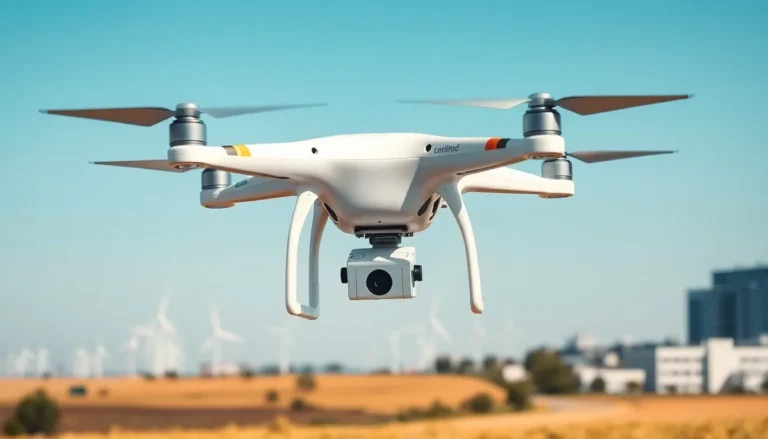
These are the most popular drones on the market. Brands like DJI, Autel, and Skydio dominate this space. Consumer camera drones excel at aerial photography and videography. They typically feature stabilized gimbals, high-resolution cameras, and intelligent flight modes. Prices range from $300 to $3,000 depending on camera quality and flight features.
Racing Drones
FPV (first-person view) racing drones prioritize speed and agility over camera quality. These lightweight machines can reach speeds over 100 mph. Pilots wear goggles that display a live video feed from the drone’s camera. Racing drones require more skill to fly and often come as kits that need assembly.
Toy Drones
Entry-level toy drones cost under $100 and work well for learning basic controls. They’re smaller, lighter, and more forgiving when crashes happen. Most lack GPS and advanced stabilization, so they require manual control. These drones make excellent training tools before upgrading to pricier models.
Professional and Commercial Drones
Businesses use specialized drones for inspections, mapping, agriculture, and delivery. These drones often carry thermal cameras, LiDAR sensors, or heavy payloads. Professional drone operators typically need additional certifications to fly these machines commercially.
Key Features to Consider When Buying a Drone
A good drones guide always covers specs. Not all features matter equally, though. Here’s what actually impacts the flying experience.
Camera Quality
For photography and video, camera resolution matters. Most mid-range drones shoot 4K video at 30fps or higher. Sensor size affects low-light performance. A 1-inch sensor outperforms a smaller 1/2.3-inch sensor in challenging lighting conditions.
Flight Time
Battery life determines how long each session lasts. Budget drones often max out at 15-20 minutes. Premium models push 40-45 minutes per charge. Serious pilots buy extra batteries to extend their flying sessions.
Range and Connectivity
Transmission range varies wildly between drones. Entry-level models might reach 500 meters. High-end drones can maintain video links at 10+ kilometers. The controller’s signal strength and interference resistance also affect reliability.
Obstacle Avoidance
Sensors that detect and avoid obstacles prevent crashes. Basic drones might have forward-facing sensors only. Advanced models feature omnidirectional sensing that covers all angles. This feature proves especially valuable for beginners still learning control.
GPS and Return-to-Home
GPS enables precise hovering, waypoint navigation, and automatic return functions. If a drone loses signal or runs low on battery, return-to-home brings it back safely. This feature has saved countless drones from flyaway incidents.
Understanding Drone Laws and Regulations
Any complete drones guide must address legality. Flying drones without understanding regulations can result in fines up to $27,500 for civil penalties in the U.S.
FAA Registration
In the United States, all drones weighing 0.55 pounds (250 grams) or more require FAA registration. Registration costs $5 and lasts three years. Pilots must display their registration number on the aircraft.
Remote ID Requirements
As of March 2024, most drones must broadcast Remote ID information. This acts like a digital license plate, transmitting the drone’s location and operator information. Newer drones include this feature built-in. Older models may need retrofit modules.
Airspace Restrictions
Drones cannot fly near airports, over stadiums during events, or in restricted airspace without authorization. Apps like B4UFLY and Aloft help pilots check airspace restrictions before takeoff. Controlled airspace requires LAANC authorization through approved apps.
Local Laws
State and local regulations add another layer. Some cities ban drones in public parks. Private property owners can restrict flights over their land. Always research local rules before flying in a new area.
Commercial Operations
Anyone earning money with drone services needs a Part 107 certificate. This requires passing an FAA knowledge test covering airspace, weather, and regulations. The test costs $175 and certification lasts two years.
Essential Tips for Flying Your First Drone
Owning a drone and flying one well are different things. These practical tips help beginners avoid common mistakes.
Start in Beginner Mode
Most drones include beginner settings that limit speed and altitude. Use them. These restrictions prevent the drone from getting away from new pilots. Gradually increase limits as skills improve.
Choose the Right Location
Open fields with minimal obstacles make ideal practice spots. Avoid trees, power lines, and crowds. Wind under 10 mph provides the best conditions for learning. Early morning often offers calmer air than afternoon.
Pre-Flight Checklist
Before every flight, check batteries, propellers, and firmware updates. Ensure the home point is set correctly. Verify GPS lock before takeoff. These simple steps prevent most avoidable accidents.
Master the Basics First
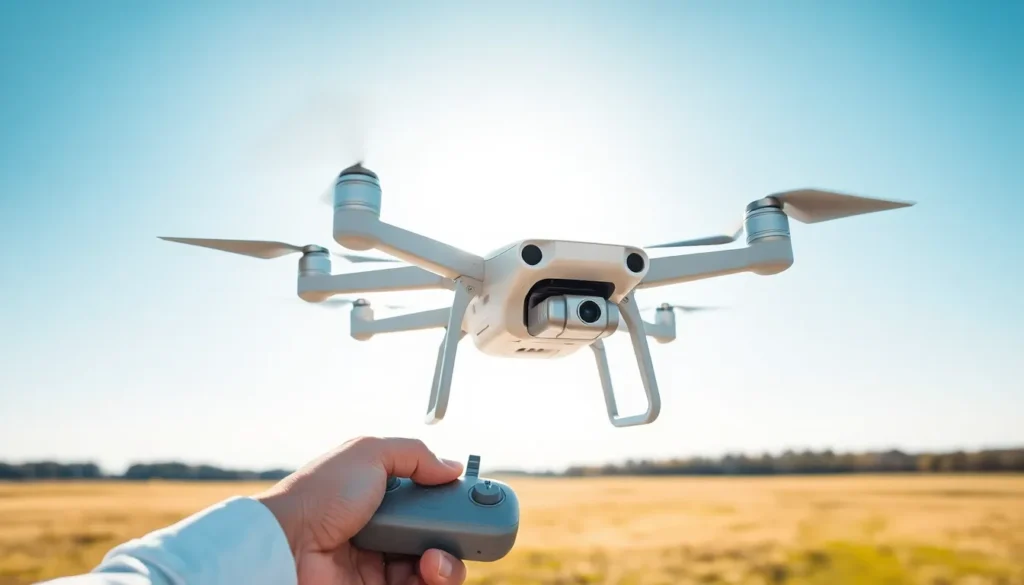
Learn to hover steadily before attempting complex maneuvers. Practice smooth takeoffs and landings. Get comfortable with orientation changes, the controls reverse when the drone faces the pilot. Spend several hours on fundamentals before chasing cinematic shots.
Use a Simulator
Many drone manufacturers offer free simulator apps. These programs let pilots practice without risking their actual drone. Simulators build muscle memory and spatial awareness. Even experienced pilots use them to try new maneuvers safely.
Respect the Battery
Always land with at least 20% battery remaining. LiPo batteries degrade faster when fully depleted. Flying to zero also means losing power for a controlled landing. Set low-battery warnings at 30% for peace of mind.