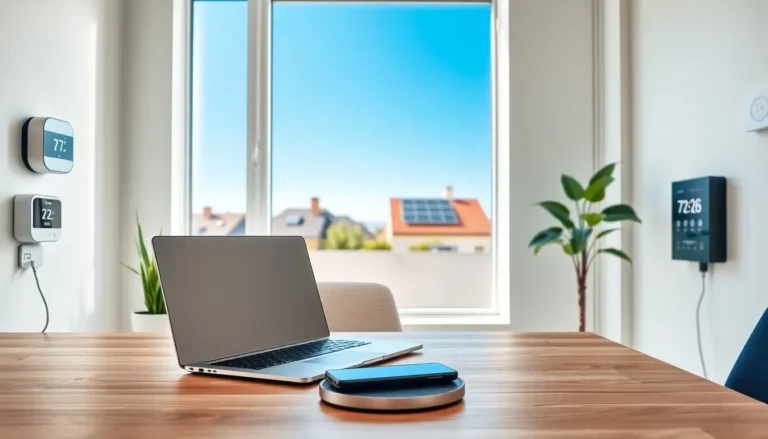


Sustainable technology tips can help anyone reduce their environmental impact without sacrificing convenience. The average household owns over 20 connected devices, and each one consumes energy and resources throughout its lifecycle. From smartphones to smart home systems, our digital habits leave a measurable carbon footprint.
The good news? Small changes add up. By making smarter choices about the devices we buy, how we use them, and what happens when we’re done with them, we can shrink that footprint significantly. This guide covers practical sustainable technology tips that work for everyday life, no extreme measures required.
Table of Contents
ToggleKey Takeaways
- ENERGY STAR-certified devices use 10-50% less energy than standard models, saving money and reducing your carbon footprint.
- Extending device lifespan through proper battery care, repairs, and component upgrades is one of the most effective sustainable technology tips available.
- Reduce your digital carbon footprint by streaming at lower resolutions, deleting unused cloud files, and unsubscribing from unwanted emails.
- Use certified e-waste recyclers with e-Stewards or R2 certification to ensure proper handling of toxic materials and resource recovery.
- Small sustainable technology tips—like enabling sleep mode, using smart power strips, and choosing rechargeable batteries—add up to significant environmental impact over time.
Choose Energy-Efficient Devices
Energy efficiency starts at the point of purchase. The devices we select determine how much power we’ll consume for years to come.
Look for ENERGY STAR Certification
ENERGY STAR-certified products use 10-50% less energy than standard models. This certification covers computers, monitors, televisions, and many other electronics. A certified laptop might save $30-50 annually on electricity bills compared to a non-certified alternative.
Consider Device Size and Power Requirements
Bigger isn’t always better. A 32-inch TV uses roughly half the energy of a 55-inch model. Similarly, laptops consume 80% less power than desktop computers performing the same tasks. When possible, choose the smallest device that meets actual needs.
Check Standby Power Consumption
Many devices draw power even when turned off. This “vampire power” accounts for 5-10% of residential electricity use. Look for devices with low standby consumption ratings, or use smart power strips that cut power completely when devices aren’t active.
Prioritize Rechargeable Over Disposable
Rechargeable batteries create less waste and cost less over time. A single rechargeable battery can replace hundreds of disposable ones. Modern rechargeable options hold their charge longer and perform better than older versions.
These sustainable technology tips for device selection set the foundation for years of reduced energy consumption.
Extend the Lifespan of Your Electronics
Manufacturing new electronics requires significant energy and raw materials. Keeping devices running longer is one of the most effective sustainable technology tips available.
Maintain Batteries Properly
Battery health determines device longevity. Keep charge levels between 20-80% when possible. Avoid extreme temperatures, both hot and cold damage battery cells. Most modern devices benefit from occasional full discharge cycles, perhaps once monthly.
Update Software Regularly
Software updates often include performance improvements and security patches. These updates help older devices run smoothly and safely. Many people replace functional devices simply because outdated software makes them feel sluggish.
Repair Instead of Replace
Many common device problems have affordable fixes. Cracked screens, worn batteries, and failing storage drives can all be replaced. Right-to-repair movements have made parts and guides more accessible than ever. A $50 repair can extend a device’s useful life by several years.
Upgrade Components When Possible
Desktop computers and some laptops allow component upgrades. Adding RAM or switching to a solid-state drive can dramatically improve performance. These upgrades cost a fraction of new device prices and keep existing hardware out of landfills.
Protect Devices Physically
Cases, screen protectors, and proper storage prevent accidental damage. A $20 case might save a $1,000 phone. Simple habits like keeping drinks away from keyboards prevent countless preventable failures.
Following these sustainable technology tips for device maintenance reduces both costs and environmental impact.
Reduce Your Digital Carbon Footprint
Data centers and network infrastructure consume massive amounts of energy. Individual digital habits contribute to this consumption in measurable ways.
Stream Wisely
Video streaming accounts for a significant portion of internet traffic. Lower resolution settings reduce data transfer and energy use. Does anyone really need 4K for a cooking video playing in the background? Standard definition works fine for many viewing situations.
Manage Cloud Storage
Every file stored in the cloud requires server space and energy. Delete duplicate photos, old email attachments, and unused files regularly. This sustainable technology tip also improves organization and makes finding important files easier.
Reduce Email Clutter
Emails sit on servers indefinitely unless deleted. Unsubscribe from newsletters nobody reads. Delete old messages with large attachments. Some estimates suggest a single spam email generates about 0.3 grams of CO2, multiply that by billions of spam messages daily.
Choose Green Hosting and Services
Some tech companies power their operations with renewable energy. Google, Apple, and Microsoft have made significant commitments to carbon neutrality. When choosing between similar services, consider which companies prioritize sustainability.
Adjust Power Settings
Enable sleep mode and automatic display shutdown on all devices. Reduce screen brightness to comfortable levels. These settings save energy without affecting productivity. Most operating systems include built-in power management tools.
These sustainable technology tips for daily habits create ongoing reductions in energy consumption.
Dispose of E-Waste Responsibly
Electronic waste contains valuable materials and toxic substances. Proper disposal protects the environment and recovers usable resources.
Find Certified E-Waste Recyclers
Certified recyclers like those with e-Stewards or R2 certification follow strict environmental and safety standards. Many electronics retailers offer free recycling programs. Best Buy, Staples, and Apple all accept old devices regardless of brand.
Donate Functional Devices
Working devices can find new homes. Schools, nonprofits, and community organizations often need technology. Refurbishment programs give devices second lives with new users. What seems outdated to one person might be a significant upgrade for someone else.
Wipe Data Before Disposal
Factory resets aren’t always enough. Use dedicated data-wiping software to ensure personal information is truly gone. Remove SIM cards and memory cards from phones and cameras. This protects privacy while enabling responsible recycling.
Understand What Can Be Recycled
Most electronics contain recyclable materials: copper, aluminum, gold, and various plastics. Batteries require special handling due to fire risks. Never put electronics in regular trash or recycling bins, they need specialized processing.
Consider Manufacturer Take-Back Programs
Many manufacturers accept old products for recycling. Dell, HP, and Samsung all offer take-back options. Some programs provide credits toward new purchases. These sustainable technology tips for disposal close the loop on the product lifecycle.